
ray-x/nvim
 github
 380
380
 2
2
 10
10
 25
25
NeoVim as a programming IDE
🏎 🏎 🏎 Need for speed! 🏎 🏎 🏎
This neovim configure file is highly optimized for the impatient. Super lazy loading + After syntax highlight rendering. Render multiple files with treesitter in less than 25ms with ~150 plugins installed (e.g. Open both util.lua(1686 loc) and lsp.lua(1538 loc) from neovim source code in 58.6ms) The setup set all plugins to be lazy loaded and trigger when it needed.
Current status
- Plugin loading is now based on native vim.pack with custom loader/installer utilities.
- Target runtime is Neovim 0.12 and 0.13.
- Plugin specs are organized by domain under
lua/modules/*/plugins.lua. - Shared spec helpers live in
lua/modules/spec.lua(used for commoncondwrapping logic). - Insert completion is now centered on Neovim 0.12 native completion, LuaSnip, autopairs, and LSP helpers instead of the old
nvim-cmpstack. - Telescope is still the main picker, now backed by local extensions plus
fff.nvim,telescope-ast-grep.nvim, andshell-history.nvim. - AI/editor experiments move quickly here; the actively used setup is
ray-x/copilot-agent.nvimplusgithub/copilot.vim, while several older experiments are now parked.
The Packer config locates in branch Packer branch
It serves as my personal nvim setup. I am using it as my daily driver. The structure can be messy so it is not a setup for beginner
nvim Telescope preview:

nvim+kitty + cmp :


Battery included
About 150 plugins and 14000 lines of lua and vim code.
Commands
- Keymaps : floating windows show all keymaps defined in this repo
- Jsonfmt: format json file
- LG: lazygit
- FZF: fzf
- Spell: spell check
- Gram: Grammar check
- Bd: better
bdelete - Gd: gitdiff(with fzf and delta)
- Rg: ripgrep with telescope
Pager
The config can be used for pager
Difftool and mergetool
It has essential tools for git difftool
Neovim Plugins
There are lots of amazing plugins, but the active branch has moved on quite a bit from the old packer / cmp / null-ls era.
Plug->Dein->Lua-Packer->lazy.nvim->vim.packI followed Glepnir https://github.com/glepnir/nvim dotfiles when I started this repo, but the current setup is no longer a direct descendant of that stack. The daily-driver branch now focuses on native pack loading, Neovim 0.12+ features, and a smaller number of heavily lazy-loaded plugin groups.
Completion / AI
Native Neovim completion via
neovim/nvim-lspconfig+vim.lsp.completion,L3MON4D3/LuaSnip,windwp/nvim-autopairs,ray-x/lsp_signature.nvim,kristijanhusak/vim-dadbod-completion,github/copilot.vim, andray-x/copilot-agent.nvim.Search / navigation
nvim-telescope/telescope.nvimremains the main search UI, withtelescope-fzf-native.nvim,telescope-file-browser.nvim,telescope-live-grep-args.nvim,telescope-heading.nvim,ray-x/telescope-ast-grep.nvim, andray-x/shell-history.nvim. I also usedmtrKovalenko/fff.nvim,folke/flash.nvim,ThePrimeagen/harpoon, andstevearc/oil.nvim.Language / IDE support
nvim-treesitter,ray-x/navigator.lua,ray-x/go.nvim,pmizio/typescript-tools.nvim,nvimtools/none-ls.nvim,mfussenegger/nvim-dap,rcarriga/nvim-dap-ui,nvim-telescope/telescope-dap.nvim,folke/lazydev.nvim,m-demare/hlargs.nvim,folke/trouble.nvim,benlubas/molten-nvim,Vigemus/iron.nvim, andmetakirby5/codi.vim.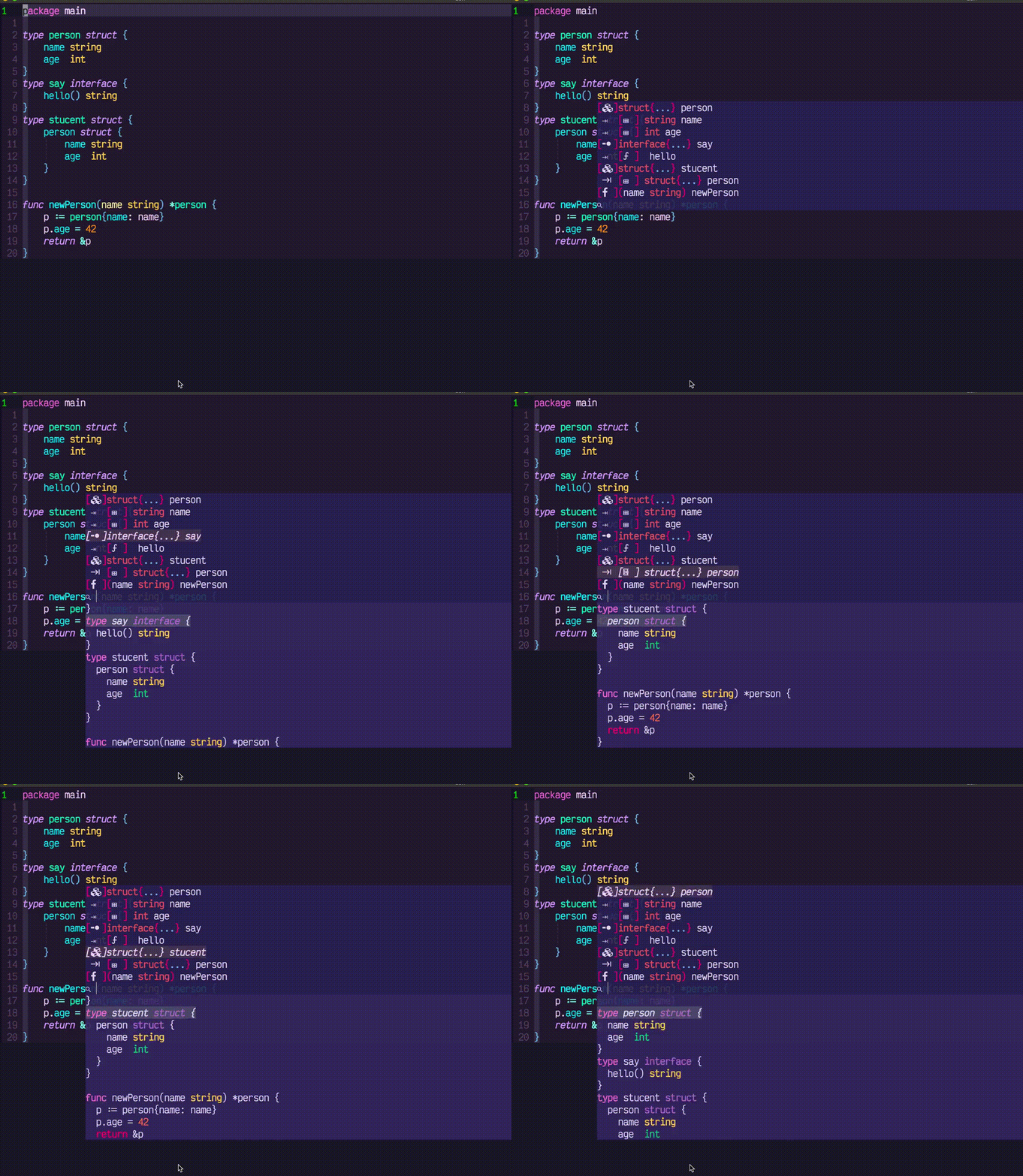
Markdown / notes / docs
ray-x/mkdn.nvim,MeanderingProgrammer/render-markdown.nvim,3rd/image.nvim,jakewvincent/mkdnflow.nvim,ray-x/yamlmatter.nvim,OXY2DEV/markview.nvim,NFrid/due.nvim, andiamcco/markdown-preview.nvim.UI / git / tools
ray-x/aurora,ray-x/starry.nvim,rebelot/heirline.nvim,luukvbaal/statuscol.nvim,akinsho/bufferline.nvim,nvim-tree/nvim-tree.lua,lewis6991/gitsigns.nvim,ray-x/forgit.nvim,rbong/vim-flog,tpope/vim-fugitive,esmuellert/codediff.nvim,akinsho/git-conflict.nvim,ray-x/sad.nvim,ray-x/viewdoc.nvim,folke/which-key.nvim,nvim-neotest/neotest,akinsho/toggleterm.nvim,ibhagwan/fzf-lua, andmikesmithgh/kitty-scrollback.nvim.Editing helpers
gbprod/substitute.nvim,gbprod/yanky.nvim,kylechui/nvim-surround,mg979/vim-visual-multi,andymass/vim-matchup,echasnovski/mini.nvim,CKolkey/ts-node-action,mizlan/iswap.nvim,mbbill/undotree, andchaoren/vim-wordmotion.
Install
Note: I tested it on Mac and linux, not sure about window
Clone the repo
Link nvim to $HOME/.config/
e.g.
ls ~/.config/nvim

~/.config/nvim -> /Users/rayx/github/dotfiles/nvim
On windows the config path is
C:\Users\your_user_name\AppData\Local\nvim
You need to link or replace above folder
Please install Nerd Fonts(I am using VictorMono) and kitty so font setting in GUI will work as expected
Startup nvim
Run :PackInstall in Neovim once after first startup to install missing plugins.
Useful commands:
:PackInstallinstall missing plugins:PackListlist installed plugins:PackLoad <plugin>load an optional plugin manually
Note:
The packages and data will be install to
~/.local/share/nvim
Please backup this folder if necessary
The setup targets Neovim 0.12+. For earlier releases, please check older branches. A patched nerd font is needed. Also if you start nvim from terminal, make sure it support nerdfont and emoji
missing sqlite, libsqlite3
Some of the plugin I am using depends on sqlite. By default sqlite was installed on MacOS. For other operating system, if you saw error message about sqlite, please following the instruction here to install sqlite
Youtube video recording of install process
Configure
If you would like to sync to my branch, you can add your own setup in lua/overwrite folder.
You can put your own plugin specs in lua/modules/user/plugins.lua.
Module conventions:
- Keep specs in domain files (
completion,lang,ui,editor,tools,user). - Prefer
ft/event/cmd+ dynamiccondfunction over startup-time gating. - Reuse
lua/modules/spec.luahelpers for shared spec behavior.
Shell
fish + spaceship + kitty. It is cooool and faster. nvim+kitty split view:

External tools
You may need to install following tools to make best of the setup
- git
- build tools (e.g. gcc, make etc)
- fzf
- bat
- delta
- lazgit
- ranger
- write-good
- proselint
- ispell
- zodide
- node.js
- develop language: python(and pynvim), go, rust etc
- package management: pip, cater, npm etc
- exa
- ...
Parking lots
These tools are good, but due to conflicts, bitrot, overlap, or simply not fitting my workflow anymore, they are parked here instead of being treated as part of the active setup.
- Old editor / shell workflow: vim/gvim, oh-my-zsh, iTerm2, zprezto
- Old completion / lint stacks: YCM, coc.nvim,
hrsh7th/nvim-cmp, ALE, efm,null-ls - Old navigation / picker / file-manager choices: easymotion, vim-clap, defx, leaderf/leaderp-style workflows
- Older statusline / UI experiments: windline, lualine, scrollview, noice-style cmdline experiments
- Disabled AI experiments in current specs:
olimorris/codecompanion.nvim,ravitemer/mcphub.nvim,carlos-algms/agentic.nvim,ThePrimeagen/99,cursortab/cursortab.nvim,zbirenbaum/copilot.lua - Parked notes / markdown / misc experiments:
epwalsh/obsidian.nvim,Furkanzmc/zettelkasten.nvim,preservim/vim-markdown,AckslD/nvim-neoclip.lua,jvgrootveld/telescope-zoxide,NTBBloodbath/rest.nvim,rhysd/vim-grammarous